How to Use Perplexity AI for Research: A Complete Beginner's Guide (2026)
Learn how to use Perplexity AI for research in 2026 with this step-by-step beginner guide. Discover search modes, workflows, and real use cases to save hours and get accurate, cited answers fast.
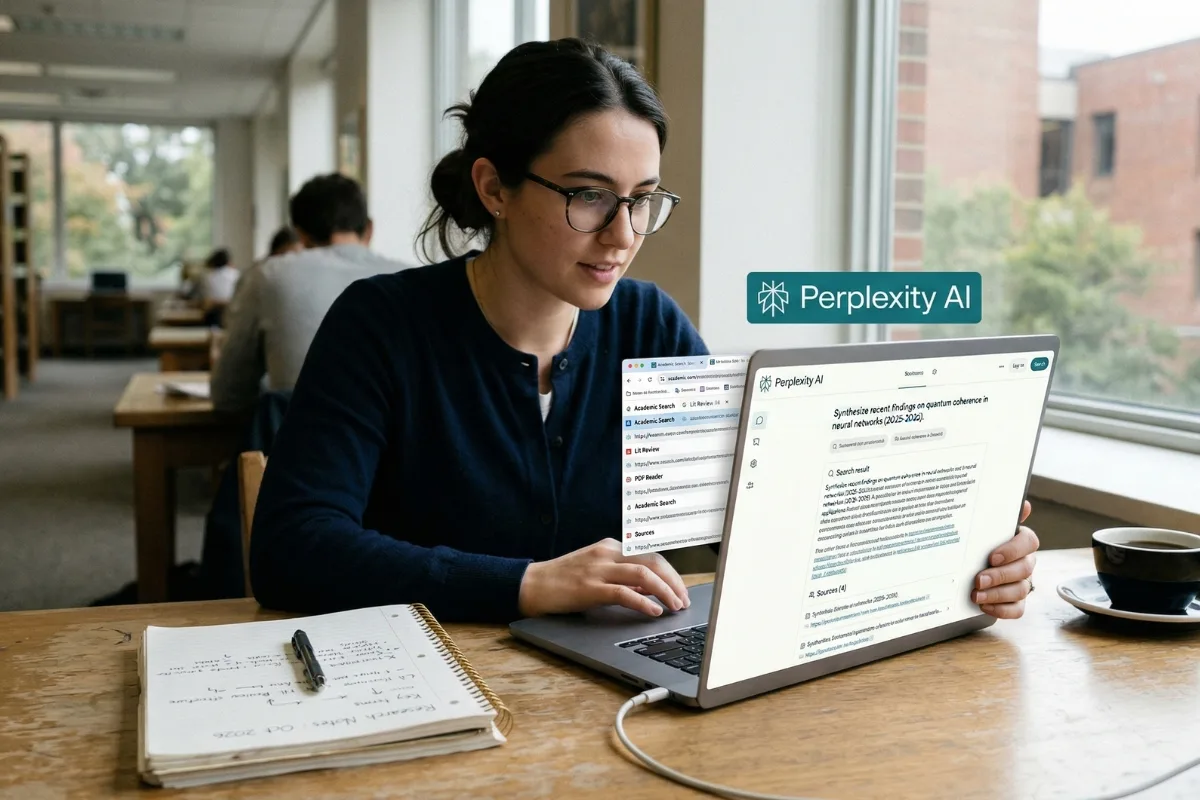
You open 12 browser tabs. You skim 8 articles. You take notes from 3 of them, spend 20 minutes cross-referencing conflicting information, and 45 minutes later you have two decent paragraphs for your report. Sound familiar?
This is how most people still do research in 2026. It does not have to be this way.
Perplexity AI has quietly become one of the most powerful research tools available today, and most people have no idea how to use it properly. It is not just a smarter search engine. It is not a chatbot. It sits in a category of its own: a real-time, source-grounded answer engine that does the multi-tab work for you and shows you exactly where every single piece of information came from.
This guide will show you how to actually use Perplexity for research, not a list of features, but a real workflow that saves time, improves accuracy, and produces results you can trust and cite. Whether you are a student writing an essay, a professional doing market research, or someone who just wants reliable answers without wading through SEO-spam articles, this guide is for you.
What Is Perplexity AI — And Why Is Everyone Talking About It?
To understand why Perplexity is different, you need to understand what is broken about the tools you are currently using.
Google gives you links. It shows you ten blue URLs and trusts you to click them, read them, compare them, and figure out the answer yourself. That process takes time, and it is getting harder as search results fill up with low-quality AI-generated content.
ChatGPT gives you answers. Confident, well-written, detailed answers. The problem is that it cannot always tell you where those answers come from, and it has a well-documented tendency to produce information that sounds correct but is not. When you need to verify something, you are back to square one.
Perplexity solves both problems at once. When you ask it a question, it searches the live web in real time, pulls information from multiple sources, synthesizes it into a clear answer, and — critically — attaches a numbered citation to every single claim. You can click any citation and go directly to the original source in seconds.
Think of it this way: Google is a library that hands you a card catalog. ChatGPT is a very well-read assistant who sometimes makes things up. Perplexity is a research analyst who shows their work.
The numbers back this up. In benchmark testing on Humanity's Last Exam — a rigorous assessment of over 3,000 questions across 100+ academic subjects — Perplexity's Deep Research mode scored 21.1% accuracy, outperforming Gemini Thinking, o3-mini, DeepSeek-R1, and several other leading models. On the SimpleQA factuality benchmark, it achieved 93.9% accuracy — meaning when it states a fact, it is almost always correct.
Perplexity is not perfect. No AI tool is. But for research tasks where accuracy, source transparency, and up-to-date information matter, it is currently the strongest tool available to most people.
How to Get Started With Perplexity AI in 2 Minutes
Getting started with Perplexity requires no technical knowledge, no downloads, and no credit card. Here is exactly what to do:
1. Go to perplexity.ai in any browser — Chrome, Safari, Firefox, Edge. It works on any device.
2. Create a free account using your Google account or email. You can also search without an account, but creating one saves your search history and unlocks Spaces (covered in Section 5).
3. Download the mobile app if you want it — Perplexity has excellent iOS and Android apps with a home screen widget that lets you start a voice query without even opening the app.
4. Type your first question in plain English. Not keywords — a full question, the way you would ask a knowledgeable colleague.
What do you get for free? The free plan is more generous than most people expect. You get unlimited standard searches, 5 Pro Searches per day (the more powerful mode that searches more sources and reasons more carefully), file upload capability for PDFs and documents, and access to the Spaces feature for organizing your research.
Pro Tip: In testing over two months of daily use, most users averaged only 3-4 Pro Searches per day — well within the free limit. The free plan is genuinely useful for most students and casual researchers.
For users who need more, unlimited Pro Searches, access to Deep Research mode, the ability to choose between AI models like GPT-5 and Claude 4.6, and API access — Perplexity Pro costs $20 per month.
Understanding Perplexity's 3 Search Modes (And When to Use Each One)
This is the section most guides either skip or explain badly. Using the wrong mode is the number one reason people get shallow, disappointing results from Perplexity. Here is a clear explanation of each mode and exactly when to use it.
Standard Search — The Default Mode
This is what runs when you just type a question and hit enter. It searches the web in real time, pulls from the top sources, and gives you a summarized answer with citations. It is fast — usually under 5 seconds — and handles most everyday questions very well.
• Best for: Quick factual lookups, current news, recent events, simple research questions
• Example: "What did the Fed announce about interest rates this week?"
• Speed: Under 5 seconds
Pro Search — The Smarter Mode
Pro Search goes deeper. It conducts multiple searches, reasons more carefully about the question before answering, and produces a more thorough response. Free users get 5 of these per day.
• Best for: Multi-part questions, comparing options, anything that needs a nuanced answer
• Example: "Compare the main arguments for and against universal basic income based on recent economic research"
• Speed: 15-30 seconds
Deep Research Mode — The Analyst Mode
This is Perplexity's most powerful capability and the one that genuinely changes how research works. Deep Research performs dozens of searches automatically, reads hundreds of sources, reasons through the material autonomously, and produces a comprehensive, structured report, all in 2 to 4 minutes. As of March 2026, it runs on Claude Opus 4.6 for Pro and Max subscribers.
To understand the scale of what it does: a human researcher might spend 4-6 hours manually reviewing sources, cross-referencing claims, and writing a synthesis. Deep Research does a comparable job in under 4 minutes. It is not perfect, it will not replace a domain expert, but for getting a strong, well-sourced foundation on any topic, nothing comes close.
• Best for: Academic research, competitive analysis, market research, investment research, legal research, comprehensive reports
• Example: "Deep research the current state of renewable energy storage technology. Include market size, major players, recent breakthrough developments, and investment trends from 2024-2026."
• Speed: 2-4 minutes
• Access: Pro and Max subscribers; limited free access
Here is a quick decision guide to make this concrete:
|
Your Task |
Mode to Use |
Expected Time |
|
Checking a quick fact |
Standard Search |
< 5 seconds |
|
Writing a short summary |
Standard Search |
< 5 seconds |
|
Researching a complex topic |
Pro Search |
15-30 seconds |
|
Comparing multiple options |
Pro Search |
15-30 seconds |
|
Writing a research report |
Deep Research |
2-4 minutes |
|
Academic literature review |
Deep Research |
2-4 minutes |
|
Competitive market analysis |
Deep Research |
2-4 minutes |
The One Feature That Makes Perplexity Better Than Google for Research
Citations. Every single answer in Perplexity comes with numbered footnotes linking directly to the source. You click the number, you see the source. This sounds simple, but it changes everything about how research works in practice.
Here is why it matters more than most people realize:
When you use ChatGPT, you get answers without inline citations. If references appear, they are at the end, and you still have to manually visit each one to check whether the source actually says what the AI claims. In practice, most people skip this step — and occasionally that means publishing or acting on information that is wrong.
When you use Perplexity, the citation is right there in the sentence. You can verify any claim in seconds, not minutes. This single feature is what makes Perplexity genuinely trustworthy for research in a way that other AI tools are not.
In independent testing of 30 technical research questions, Perplexity's citation accuracy was measured at approximately 87% — meaning the source linked in each citation actually supported the claim being made. That is not perfect, but it is dramatically better than tools that provide no citations at all.
There is also a more specialized version of this for academic work: Academic Focus mode. When you are researching for a paper or need peer-reviewed sources, you can use the Focus selector to restrict Perplexity to academic sources only. It will pull from scholarly journals, peer-reviewed papers, and reputable academic publications — filtering out the SEO blog noise that dominates general web search results.
Pro Tip: Always click at least 2-3 citations for any important claim before using it in your work. Perplexity is highly accurate, but no AI is infallible. The 5 seconds it takes to verify a citation is always worth it.
How to Actually Use Perplexity for Research: A Step-by-Step Workflow
This is the most important section. Knowing the features is not the same as knowing how to use them. Here is the workflow that experienced Perplexity users follow — tested across research tasks including academic work, competitive analysis, fact-checking, and professional reporting.
Step 1: Ask Complete Questions, Not Keywords
The biggest mistake beginners make is treating Perplexity like a search engine. They type keywords instead of questions. Perplexity is built for natural language — the more specific and complete your question, the better the answer.
Bad: "AI tools 2026"
Good: "What are the most effective free AI tools for freelance writers in 2026, and how do they compare on features and ease of use?"
Bad: "climate change effects"
Good: "What are the most significant measurable effects of climate change on agricultural output in Southeast Asia based on research published since 2022?"
The second version of each question gives Perplexity a clear scope, a time frame, a specific audience, and a clear format expectation. You will get a dramatically more useful answer.
Step 2: Choose Your Mode Before You Search
Before hitting enter, look at the mode selector. For a quick fact, Standard is fine. For anything that requires real depth — a comparison, a comprehensive overview, a research task — switch to Pro Search or Deep Research. The 30 seconds of extra wait time for Pro Search is almost always worth it.
Step 3: Read the Citations First, Not the Answer
This sounds counterintuitive, but it is how experienced researchers use Perplexity. Skim the answer to get the overall picture, then immediately look at the citations. Are they from credible sources? Are the sources recent? Do the source domains match the type of claim being made (academic papers for research claims, official sites for statistics, etc.)?
If the citations look solid, you can trust the answer. If they are thin or from low-quality sources, treat the answer as a starting point and dig deeper.
Step 4: Use Follow-Up Questions in the Same Thread
Perplexity uses Threads to maintain context across multiple messages in a session. This means you do not have to re-explain your topic every time you ask a follow-up question. You can go from broad to narrow in a single research session:
• "Give me an overview of the electric vehicle battery market in 2026"
• "Now focus specifically on solid-state battery technology — who are the leading companies?"
• "What has QuantumScape announced in the last 6 months?"
• "Are there any concerns about their manufacturing timeline?"
Each follow-up question builds on the last without losing context. This is how you turn a 45-minute manual research session into a 10-minute Perplexity session.
Step 5: Save Research to Spaces
Spaces are Perplexity's organizational layer — shared or private workspaces where you can save research threads, organize by project, and even collaborate with teammates. Even if you work alone, Spaces prevent you from losing research threads you need to come back to.
Create a Space for each major project or topic you research regularly. Every thread you save there is searchable and organized. Think of it as a personal research library that builds itself as you use it.
5 Real Research Use Cases With Exact Prompts You Can Copy
This is the section that separates a useful guide from every other generic overview. Here are five specific, real-world use cases with copy-paste prompts that you can use today.
Use Case 1: Student Writing a Research Essay
The challenge: you need to write about a controversial topic, find credible sources, and make sure your claims are accurate and up-to-date.
Prompt: "Research the main arguments for and against universal basic income based on studies and analysis published after 2022. Summarize the key findings on both sides, note any areas where economists disagree, and identify the most credible sources on each side."
• Mode to use: Academic Focus + Deep Research
• What you will get: A balanced synthesis of recent academic and policy research with direct citations you can use in your bibliography
• Time saved: 2-3 hours of manual literature searching reduced to under 5 minutes
Use Case 2: Freelancer Doing Competitive Research
The challenge: you need to understand a client's competitive landscape before a pitch or project kickoff.
Prompt: "Who are the top 5 competitors in the project management software space as of 2026? Compare them on pricing, target audience, main differentiators, and any significant product updates or news from the last 6 months. Use only sources from the last 12 months."
• Mode to use: Pro Search or Deep Research
• What you will get: A structured competitive overview with current pricing, positioning, and recent developments — all sourced
• Time saved: 1-2 hours of browsing competitor websites and reading review sites
Use Case 3: Professional Fact-Checking Before Publishing
The challenge: you have drafted content and want to verify the accuracy of key claims before it goes live.
Prompt: "Verify this claim: [paste your specific claim here]. What do authoritative sources published in the last 2 years say about this? Flag any conflicting evidence and note the publication dates of the sources you find."
• Mode to use: Standard Search or Pro Search
• What you will get: A quick, cited summary of what current sources say — plus any contradicting evidence you should know about
• Time saved: 15-30 minutes of manual source checking per claim
Use Case 4: Business Owner Researching a Market
The challenge: you are entering a new market or evaluating an opportunity and need solid data before making decisions.
Prompt: "Give me a comprehensive overview of the [your market] market in 2026. Include current market size, projected growth rate, the 3-5 major players and their approximate market share, and the most significant trends shaping the market over the next 2-3 years. Cite every statistic and note the source for each figure."
• Mode to use: Deep Research
• What you will get: A report-quality market overview in 3-4 minutes, with every key statistic sourced
• Time saved: 3-4 hours of manual industry report research
Use Case 5: Job Seeker Researching a Company Before an Interview
The challenge: you have an interview in 48 hours and want to walk in knowing more about the company than the interviewer expects.
Prompt: "What has [Company Name] announced, changed, or published in the last 6 months? Include leadership changes, product launches, major funding rounds, strategic partnerships, and any significant news — positive or negative. Prioritize credible news sources and the company's own announcements."
• Mode to use: Standard Search (needs real-time data)
• What you will get: A current, sourced summary of everything newsworthy about the company — the kind of detail that impresses interviewers
• Time saved: 30-60 minutes of LinkedIn + Google searching
Perplexity vs Google vs ChatGPT: An Honest Comparison
Every tool has strengths and weaknesses. Here is an honest breakdown based on real-world testing — not a promotional comparison, but an accurate one.
|
Feature |
Perplexity |
|
ChatGPT |
|
Real-time information |
Yes — always on |
Yes |
Only with browsing enabled |
|
Inline citations |
Every answer, every claim |
Sometimes, AI Overviews only |
Inconsistent, often at end |
|
Depth of analysis |
Medium-High |
Low (links only) |
High (but slower) |
|
Best for |
Research + fact-checking |
Local search, navigation |
Writing, coding, creativity |
|
Free tier quality |
Generous — 5 Pro/day |
Free |
Limited GPT-4 access |
|
Speed |
Fast (2-30 sec) |
Very fast |
Medium (30sec-4min) |
|
Citation accuracy |
~87% tested |
Varies widely |
Often uncited |
|
File upload |
Yes (PDFs, images) |
Limited |
Yes (with Plus) |
The honest summary: Perplexity is the best tool when you need accurate, sourced information and you need to verify it. Google is still better for local searches, maps, and finding specific websites. ChatGPT is still better for writing, coding, creative tasks, and deep analysis that does not require real-time sources.
The most productive researchers in 2026 use all three tools together — Perplexity to find and verify information, ChatGPT to transform that information into polished content, and Google when they need local results or a specific website.
Free vs Pro: What You Actually Get Without Paying
This section is important because most guides either gloss over the free plan or oversell the paid one. Here is what the free plan actually gives you — and who genuinely needs to pay.
Free Plan — What You Get
• Unlimited standard searches with real-time web access and citations
• 5 Pro Searches per day — the more powerful mode that searches more sources
• File uploads — you can upload PDFs, images, and documents for analysis
• Spaces — organize your research into named workspaces
• Mobile apps for iOS and Android, including the voice search widget
• Access to Discover feed for trending research topics
In practice: the free plan handles the vast majority of research needs for students and casual users. In two months of daily testing, average Pro Search usage was 3-4 per day — under the 5-per-day limit.
Pro Plan ($20/month) — What You Get Extra
• Unlimited Pro Searches
• Deep Research mode — the comprehensive multi-source research agent
• Model Council — run GPT-5.4, Claude Opus 4.6, and Gemini 3.1 simultaneously and compare their answers
• Choose your AI model — Claude 4.6 Sonnet, GPT-5, and others
• 300+ daily Pro searches (versus 5 free)
• API access for developers
• $5/month in API credits included
Who genuinely needs Pro: researchers or analysts who run 10+ complex queries daily, professionals who need Deep Research mode for comprehensive reports, teams who want to collaborate in shared Spaces, and developers who need API access.
Honest recommendation: Start with free and use it seriously for two weeks. If you consistently hit the 5 Pro Search limit or find yourself wishing for Deep Research, upgrade. For most students and casual researchers, free is genuinely enough.
The Bottom Line
Perplexity AI is not a replacement for critical thinking, domain expertise, or careful reading. It is a research multiplier — a tool that handles the time-consuming, mechanical parts of finding and synthesizing information so you can spend your time on the parts that actually require your judgment.
The researchers, analysts, students, and professionals who use it well do not ask it to do their thinking. They use it to gather more information faster, with better sources, in less time — and then they apply their own analysis to what it finds.
The best way to understand what Perplexity can do for you is not to finish reading this guide. It is to close it, go to perplexity.ai, and ask it something you genuinely need to know right now. Use it the way this guide describes — a complete question, the right mode, verification of the citations — and see the difference for yourself.
That first session is where it clicks. And once it clicks, you will not go back to opening 12 tabs.
Continue with AI Tools, the blog archive, AI Tools & Workflows.
Keep reading
Use the links below to move into the hub page, category archive, and related articles for this topic.
Related articles
Learn how solopreneurs use AI to create email newsletters effortlessly. Discover workflows, tools, and strategies to stay consistent and grow faster.
Discover the 7 best free ChatGPT alternatives for developers in 2026. Compare tools like Codeium, Copilot, Claude AI, and Phind for coding, debugging, and productivity.
Discover how AI tools are transforming backend development in 2026. Learn top tools, real use cases, and how to integrate AI into your workflow.